
Book Appointments From Anywhere
Book solar appointments from anywhere, in the field or at the office. Your whole team sees the same calendar so nothing falls through the cracks.
See It In Action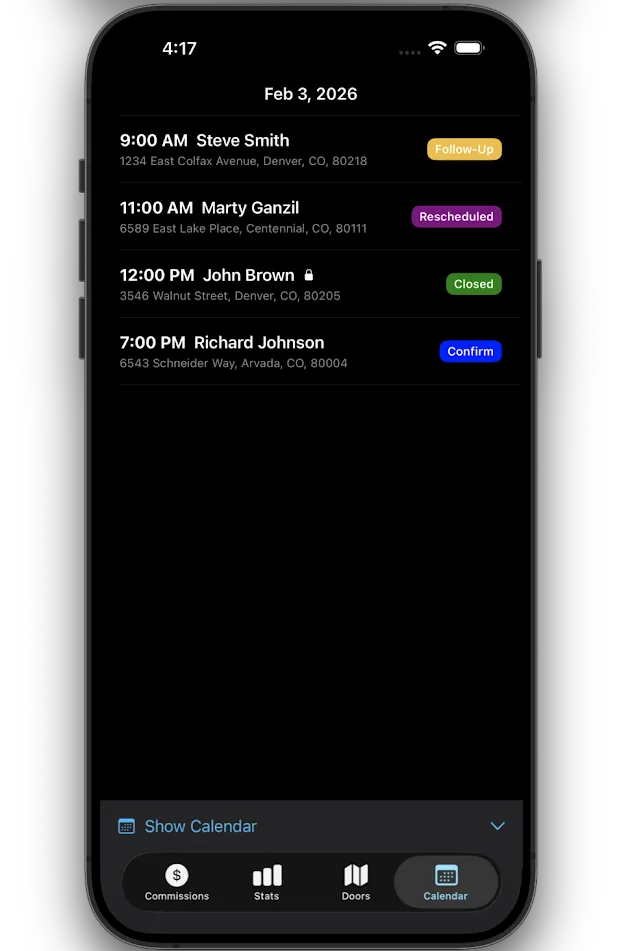
See Your Team's Schedule at a Glance
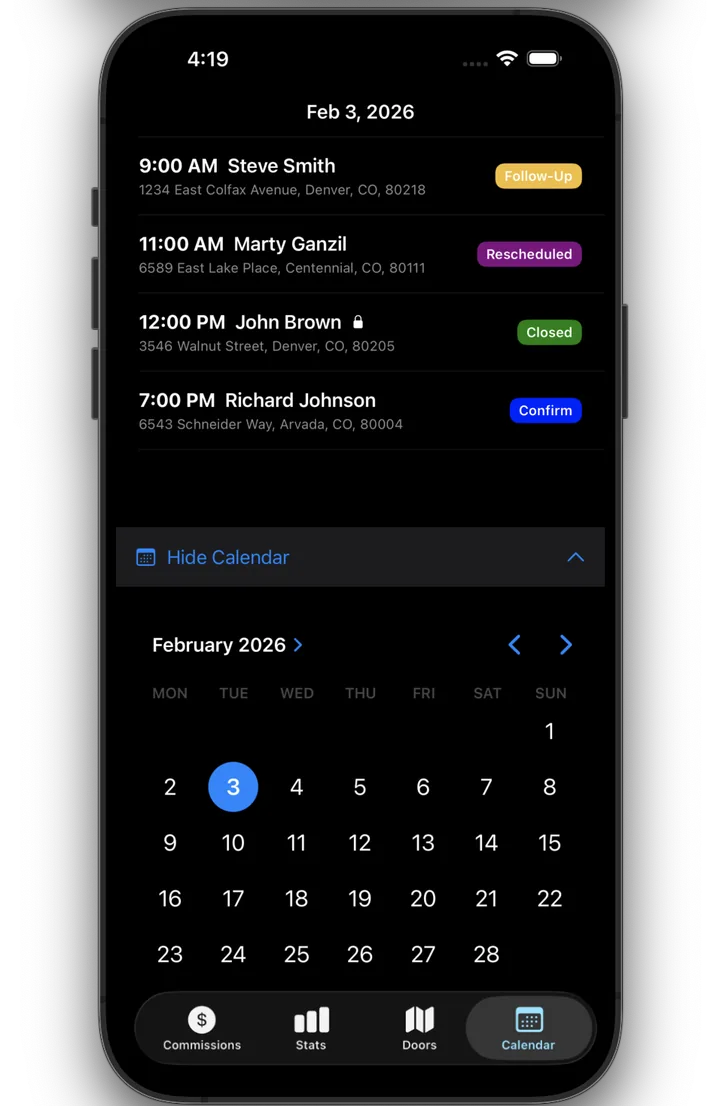
A clean calendar view shows every scheduled appointment for your team in one place. Setters, closers and managers all work from the same schedule, and leads can be dispositioned in real time as the day unfolds.
- Reassign closers from the field
- Color-coded appointment status
- Stay coordinated with daily calendar views
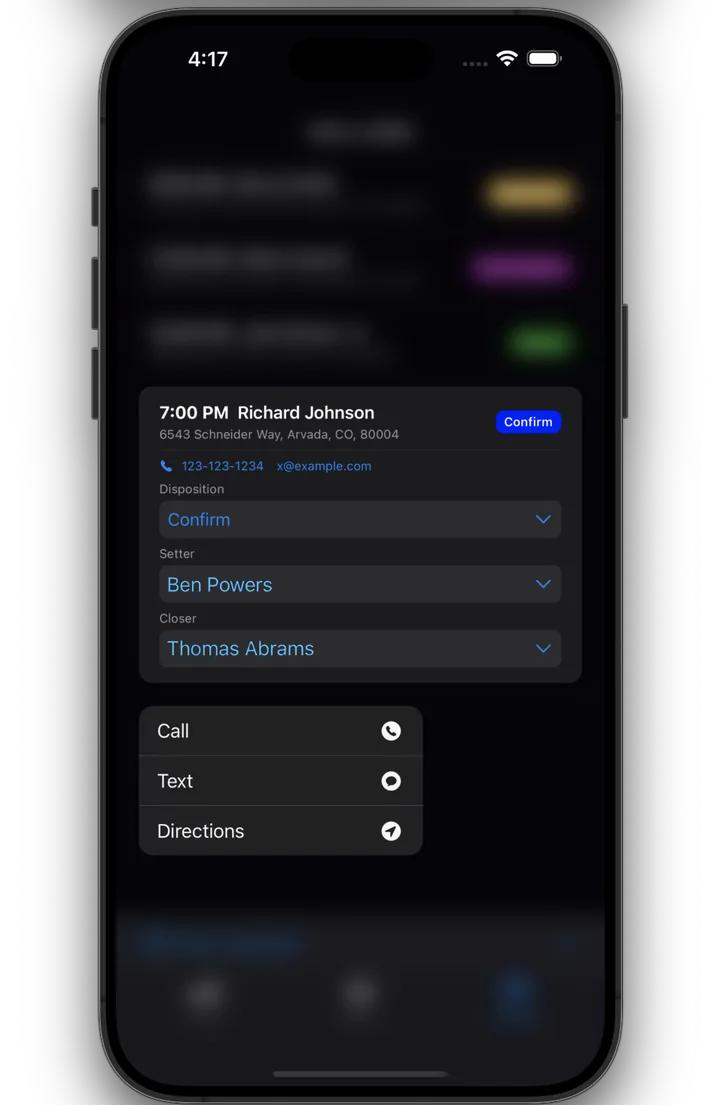
Call, Text, or Route in One Tap
Tap and hold any lead to instantly call, text or get directions to their property. No more switching between apps or copy-pasting addresses.
- One-tap calling and texting
- Route directly to the property
- Stay in the flow, close more deals
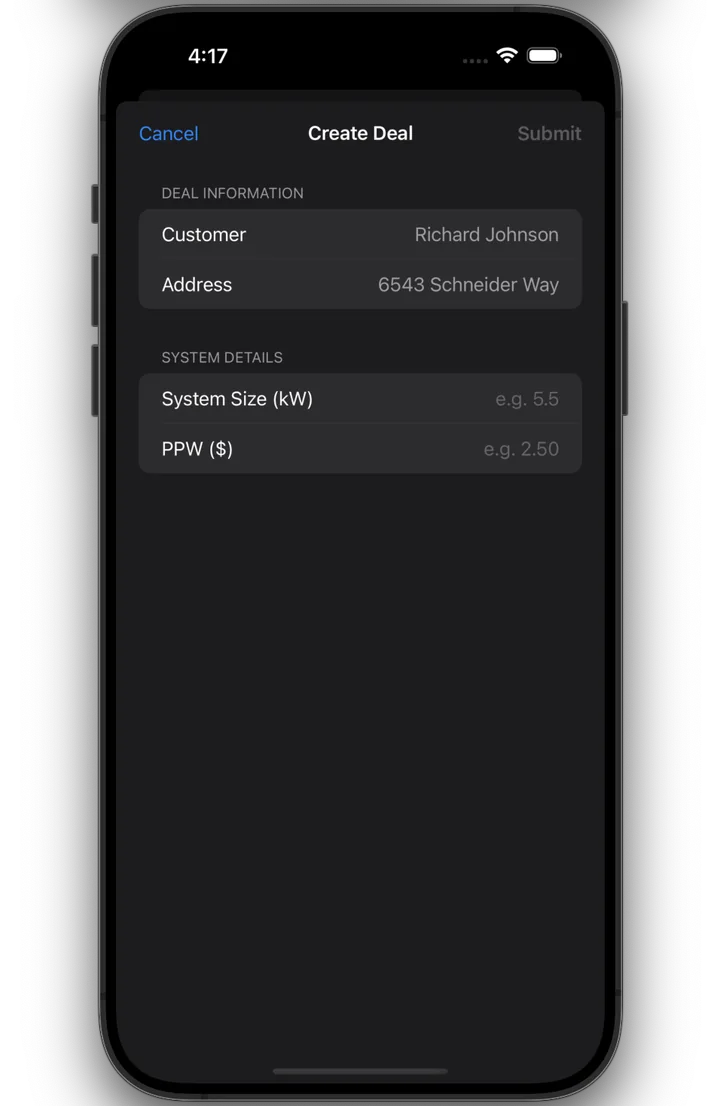
Close a Deal, See Your Pay
When you mark a deal as closed, you're prompted to enter system size and PPW. Commissions are calculated instantly, with no waiting for the office to run numbers.
- Enter kW and PPW at close
- Commissions calculated instantly
- Setter, closer splits and manager overrides auto-calculated
Scheduling That Actually Works
Scheduling software for solar sales teams that are done with missed appointments, double-booked closers and calendar conflicts.
Scheduling FAQ
Ready to simplify your scheduling?
See how SunShip can help your team book more appointments and keep everyone on the same page.
See SunShip in action
We will walk through the platform, show you how it works for your team and answer any questions.